Lesson 6 · Differential Drive & Motor Control
Lesson 6 · Differential Drive & Motor Control
Teacher mode is on. Toggle it off (bottom-right) to preview the student view.
Every Straight and Turn you've used is really controlling two motors behind
the scenes. In this lesson you'll take the wheel yourself — driving the left and
right motors directly to make curves, spins, and smooth steering that the
high-level blocks can't do on their own. Along the way you'll find out what the
word effort actually means, and why it isn't the same thing as speed.
Learning Objectives
By the end of this lesson you will be able to:
- Explain differential drive — steering by running the two wheels at different speeds
- Predict the robot's motion from what each side's motor is doing
- Use Set effort to control the motors directly (
-1to1), and explain how effort differs from speed - Decide when to use direct motor control vs. the high-level
Straight/Turn
How the robot really steers
The XRP is a differential drive robot: it has no steering wheel. The only thing it can control is how fast each side turns, and in which direction — and that turns out to be enough to produce every motion it can make.
Predict first: which way will the robot drive?
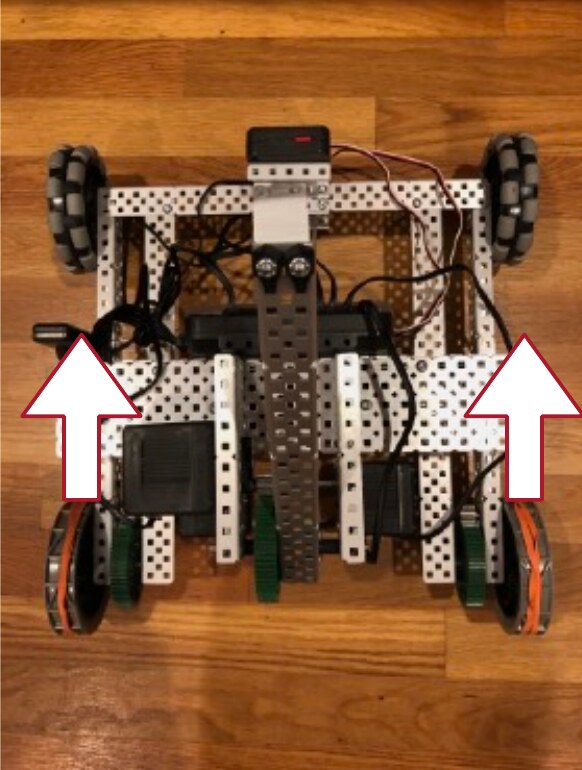
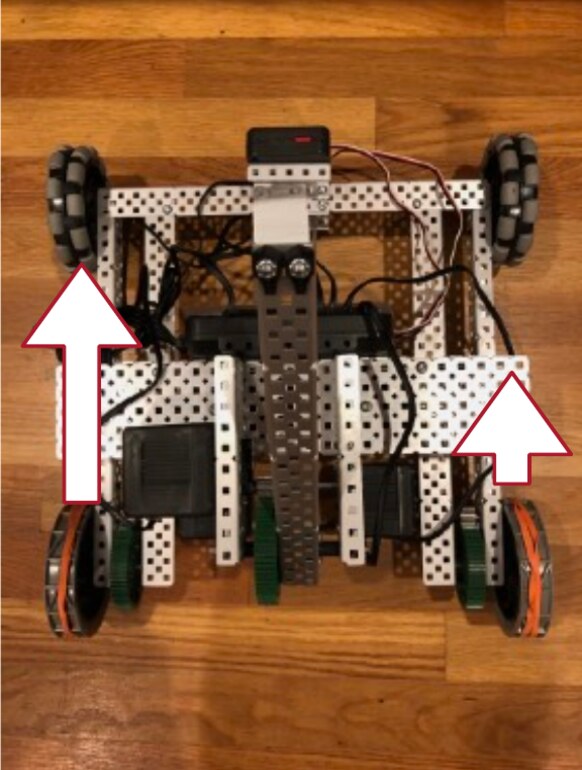
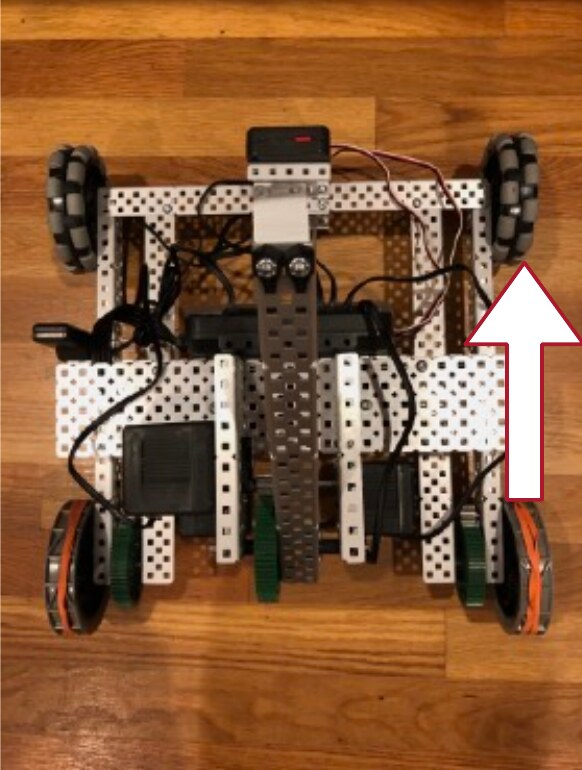
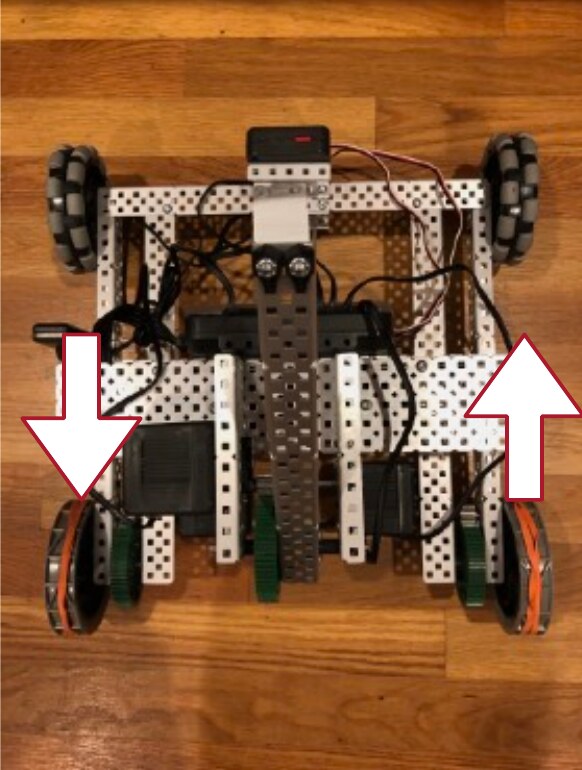
In each photo below, the robot is seen from above and the arrows show what each side's motor is doing: which way it turns, and how fast (longer arrow = faster). For each one, decide before you play the video: does the robot drive straight, curve, swing around, or spin? Then watch and check.
The whole rule, in three lines
Every one of those outcomes comes from the same idea — you operate the left and right sides of the driveline independently:
Both sides, same speed
Drives straight. Match the two sides and there's nothing to turn the robot.
One side faster
Turns. The bigger the difference, the tighter the curve — until one side stops and it swings about that wheel.
Each side opposite
Turns in place. The robot rotates about its own center without going anywhere.
Your robot is supposed to drive straight but keeps drifting to the left. What does that tell you about the two sides?
Commanding the motors: the Set effort block
The Set effort block gives you that direct control. Effort runs from -1
(full reverse) through 0 (stopped) to 1 (full forward), and you set each wheel
separately — so each of the four cases above is just a pair of effort numbers.
There's a catch, and it's the big idea of this lesson. Straight finishes:
it drives its 20 cm, stops the motors, and hands the program to the next block.
Set effort doesn't finish — it switches the motors on and moves straight to the
next block, leaving them running. They keep running until something stops them.
So a Set effort program has to answer a question Straight never asks you:
when should the motors stop? For a first look, we'll answer it with a
Sleep — but keep an eye on how well that works.

 ← left: 0.5, right: 0.5 → straight
 ← 3 seconds — the motors are still running the whole time
You run Set effort with left 0.5 and right 0.5. What does the robot do?
What happens with left 0.5 and right -0.5 (one wheel forward, one backward)?
Effort is not the same as speed
The block is called Set effort, not "set speed," and the difference matters. Effort is how hard the motors try — electrically, it's how much voltage they get. Think of it the way you'd think about your own effort in a sport:
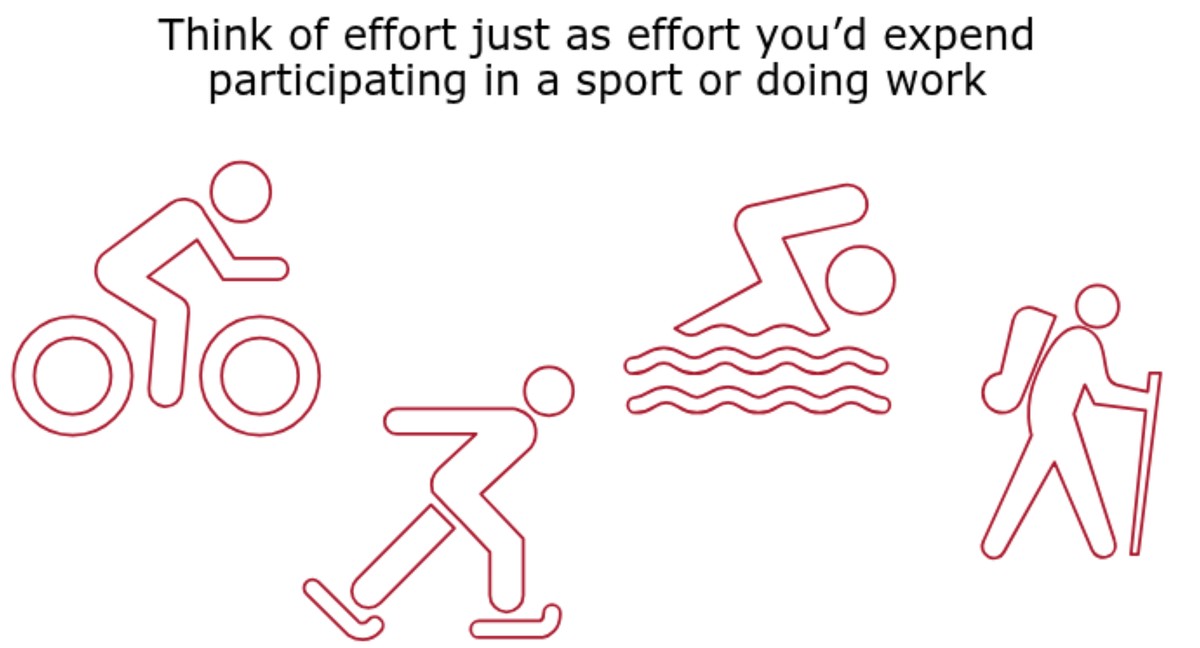
Those two things come apart as soon as the world pushes back. Pedal a bike uphill at a constant effort and you slow down; the same effort on the flat carries you much faster. Effort is your input. Speed is the result — and it depends on the hill, the carpet, the battery, and how much the robot is carrying.
Speed is the other way of asking: you name the speed you want, and the robot adjusts its own effort to hold it — pushing harder up the hill, easing off on the way down:
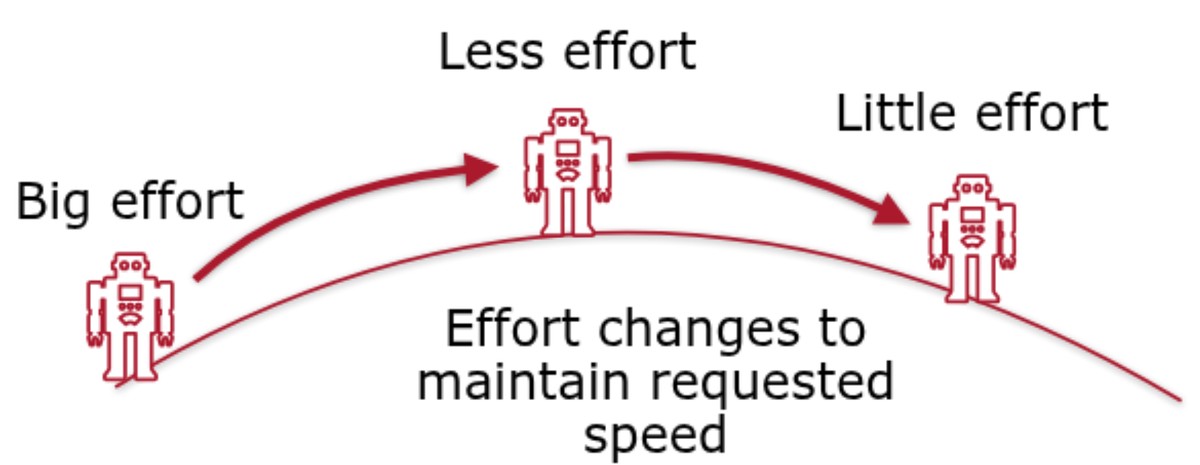
This is why the same Set effort numbers don't always produce the same motion.
Effort 0.5 on a smooth floor is quicker than effort 0.5 on thick carpet, and
quicker again with a fresh battery. It's also why Straight and Turn are more
repeatable than raw effort — they watch the robot's sensors and adjust, instead
of blindly holding one voltage.
You set both motors to effort 0.5 and drive across a smooth floor, then across a thick carpet. What happens?
A robot is asked to hold a steady speed as it drives up and over a hill. What does its effort do?
Blocks that finish vs. blocks that don't
Run the program above three times: once with a fresh battery, once on carpet, and once on a smooth floor. Measure how far the robot goes each time.
Three seconds at effort 0.5 is not a distance. It's three seconds — and the
distance you get out of it changes with the battery, the surface, the weight on
the robot, even whether the floor slopes. That's the effort-isn't-speed idea from
the first section, showing up as a practical problem.
Now compare the two kinds of block:
Straight / Turn
Runs until the job is done — the distance driven, the angle turned — then stops the motors by itself. The next block doesn't start until it's finished.
Set effort / Arcade
Switches the motors on and moves to the next block immediately. The motors stay on until something stops them.
Three things can stop them: a Stop motors block  ,
another
,
another Set effort (including effort 0), or the program ending. You don't
need a stop block at the end of a program — the robot stops the motors when the
program is over — but any time the motors should quit while the program keeps
going, that's what Stop motors is for.
Which leaves the real question: what should the robot wait for before it
stops? A Sleep is the crudest possible answer, and you just measured why. The
answer you'll use for the rest of this course is to stop on something the robot
senses — drive until the rangefinder says the wall is 10 cm away, until the
reflectance sensor sees the line, until the encoder has counted far enough. Same
Set effort, but the robot decides when it's done instead of the clock. That's
where Module 2 goes next.
What's the difference between what Straight does and what Set effort does?
Why is 'Set effort 0.5, Sleep 3 seconds' a poor way to travel a set distance?
Smooth steering with Arcade
Setting two efforts by hand is fiddly. The Arcade block is friendlier — you give it a forward speed and a turn amount (like a game controller), and it works out the two motor efforts for you.
 ← speed: 0.5, turn: 0.3 → forward, curving right← 3 seconds — again, a stand-in until we have sensors
When is the Arcade block a better choice than Set effort?
Activity · Drive a figure-eight
A figure-eight is two curves that bend opposite ways, joined in the middle. It is
the shape that proves you really understand what the two numbers in Arcade do
— and Straight and Turn cannot draw it at all.
- One curve first. Use Arcade with a speed of
0.5and a turn of0.3, held long enough to come most of the way around a circle. Adjust the turn number until the circle is about a metre across: bigger turn, tighter circle. - Write down what worked — your speed, your turn, and roughly how long the robot ran. You need those numbers twice.
- Mirror it. Add a second Arcade with the same speed and the opposite turn
(
-0.3if the first was0.3), held for the same length of time. - Run the pair. You should get two loops joined in the middle. If the second loop is a different size from the first, the two halves aren't matched — check that the numbers really are mirror images.
- Challenge — make the two loops different sizes on purpose, so the path looks like a lopsided eight. Which number do you change, and which stays?
You've succeeded when the robot traces two joined loops and finishes near where it began, pointing roughly the way it started.
Real-world connections
Direct motor control is how machines that don't drive in straight lines work:
Wheelchairs & rovers
Powered wheelchairs and Mars rovers steer by differential drive — exactly this left/right speed trick.
Twin-stick control
Tank-style games map two sticks to two "tracks," the same idea as setting two efforts.
Skid-steer loaders
Construction "skid steers" turn by driving their left and right wheels at different speeds.
Wrap-up
- How does a differential-drive robot turn? (By running its wheels at different speeds.)
- What happens to the motors when a Straight block finishes? What about a Set effort block? (Straight stops them; Set effort leaves them running.)
- Why is timed driving unreliable, and what should a robot stop on instead? (Effort isn't speed — battery and surface change the distance; stop on a sensor reading.)
- When would you pick
Straight/TurnoverSet effort? (When you need precise, repeatable distances and angles.)